Free for parents and guardians
The FootballPro app for parents
Your child's schedule, fixtures, attendance and club updates in one place — set up for you by your club.
Getting started
How to get your login details
Your club sets up your parent account — there is nothing to buy. Follow these steps and you'll be signed in within a few minutes of your club adding you.
- 1
Ask your club to add you
Contact your child's coach or club admin and ask them to add you as a parent or guardian on FootballPro, using the email address you want to sign in with. Parents don't sign up or pay for the app — your club creates your account. Use the ready-made message below to make it easy.
- 2
Check your email
Once your club has added you, you'll get an email from FootballPro (sent from noreply@footballpro.app) with a subject like “[Your club] — Set up your parent portal account”. It can take a few minutes. If you can't find it, check your spam or junk folder.
- 3
Set your password
Tap Set Up Your Account in the email and choose your own password. The link expires after a while for security — if it no longer works, use Forgot password with the same email address to get a fresh link.
- 4
Download the app
Get the free FootballPro app from the App Store (iPhone and iPad) or Google Play (Android). You can also use it in any web browser at footballpro.app.
- 5
Sign in
Open the app (or go to the parent sign-in page) and enter the email address your club used and the password you set. You'll go straight to your child's club information.
Forgotten your password?
No problem. Enter your email on the reset page and we'll send you a link to choose a new one.
Reset my password
Not had an email yet?
Ask your club in one tap
Only your club can add you to FootballPro. Send them this message so they have everything they need: your child's name, their age group or team, and the email address you want to use.
- Send it to your child's coach, team manager or club admin.
- Use the email address you check most often.
Message for your club
Copy it, fill in the parts in [brackets], and send it to your coach or club admin.
Subject: Please add me as a parent on FootballPro
Hello,

Could you please add me as a parent/guardian on FootballPro so I can use the parent app for my child?

Child's name: [Child's full name]
Age group / team: [e.g. U10 Lions]
My email address: [The email address you want to sign in with]

Please set my account up with this email address. I understand I will then receive an email from FootballPro with a link to set my password.

Thank you,
[Your name]
You can also paste it into a text or WhatsApp message.
In the app
What you can do in the app
Everything your club shares with parents, in one place. Some features only appear if your club uses them.
Schedule
Training sessions and club events in one calendar.
Fixtures
Upcoming matches, kick-off times and results.
Attendance
See which sessions your child has attended.
Payments
View fees, invoices and your payment history.
Wellbeing
Wellbeing check-ins and support resources.
Stats and progress
Follow your child's stats as the season goes on.
Club store
Browse kit and merchandise from your club.
Match tickets
Get tickets for club match days and events.
Bookings
Book camps, sessions and other club services.
Videos
Watch videos shared by your child's coaches.
Stay up to date
Turn on notifications
Get session reminders, match day information and club announcements as soon as they are sent. When the app asks to send notifications, tap Allow. If you missed it:
iPhone and iPad
- 1Open the Settings app.
- 2Scroll down and tap FootballPro.
- 3Tap Notifications and switch on Allow Notifications.
Android
- 1Open Settings, then Apps (or Apps and notifications).
- 2Find and tap FootballPro.
- 3Tap Notifications and switch them on.
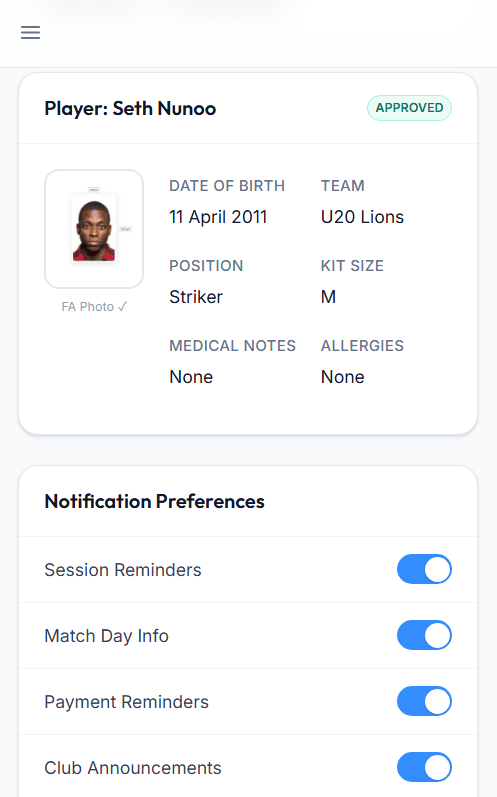
You can choose which types of notification you get under Profile, Notification Preferences in the app.
Questions
Frequently asked questions
Do I need to pay for the app?
My email address isn't recognised. What should I do?
I have more than one child at the club.
Can both parents have access?
Is my child's data safe?
Who do I contact for help?
Already have your login?
Sign in with the email address your club used and the password you set.
Sign in